Page Style and Printed Edges
Choose the color your pages print in and have a word or pattern printed along the edges of the closed book.
Page Style and Printed Edges
Three screens of the wizard are about how the inside of your book looks, and they come after you pick your cover: Animated Page Art, then Choose Your Page Color, then Printed Page Edges. Each has its own screen and its own live preview, and the order matters — the edges are drawn using the inks of the page color you just chose.
Animated Page Art
A scene is printed on every page, from the first page inside the cover to the last, and it moves as you flip through the book. It fades back where the words or writing lines sit, so they stay easy to read. On this screen you choose the scene, how strongly it shows, or plain pages with no art at all.
Page Color
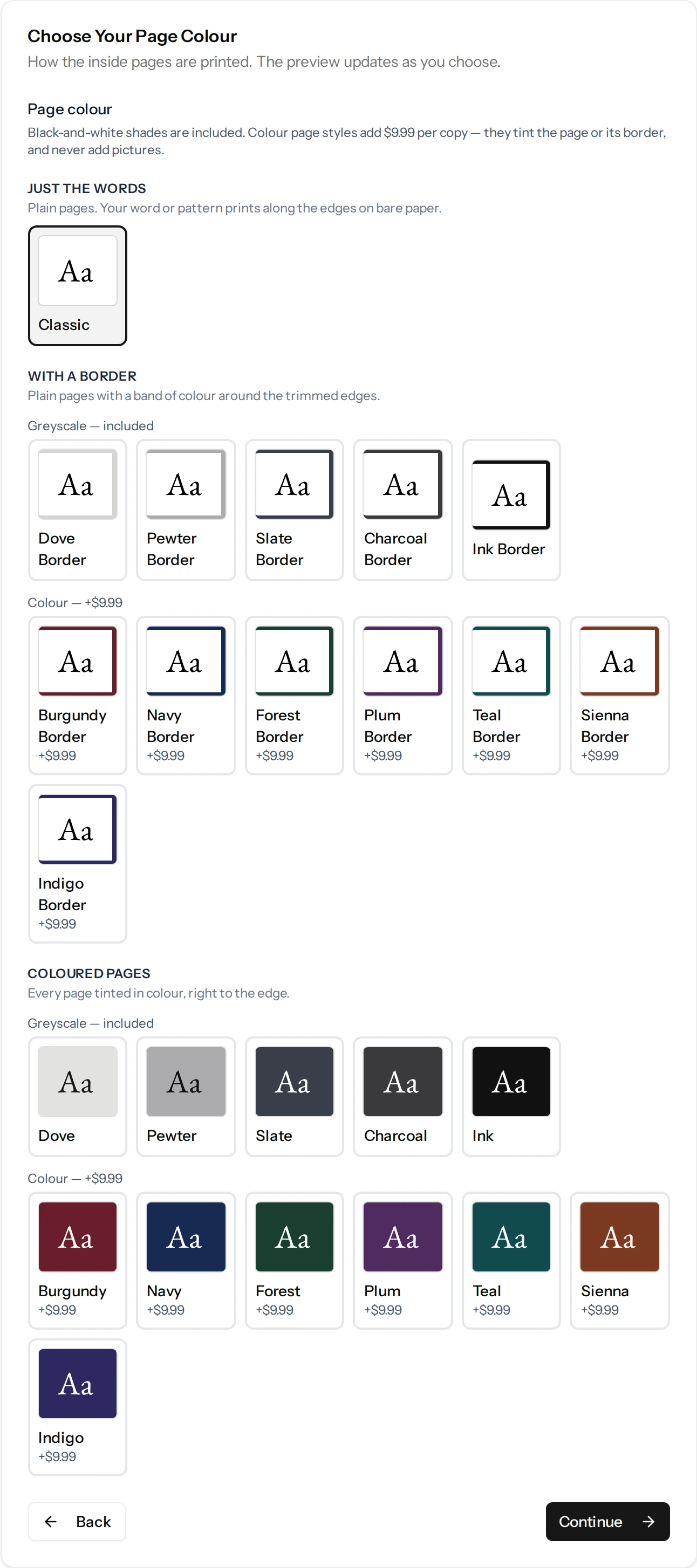
There are two kinds of page style:
- Just the words — ordinary pages, printed the way a book normally is.
- Colored pages — every page tinted edge to edge in color.
A page style only changes the colors a page is printed in — the page itself, the text on it, and the ruled or dotted lines if your book has them instead of a story. It never changes what is on the page.
Page Art Color
If your book carries animated page art, the same screen also lets you choose the color that art is printed in. By default it prints in plain gray ink, whatever page color you pick. You can instead pick a shade of gray, a single color such as navy or burgundy, or, where the scene was drawn in color, full color. It only changes the art; your pages and text stay as you chose them above. If you switched the art off, there is no art to color, so the choice does not appear.
What Color Costs
Grayscale choices — including the dark pages and the gray art shades — are free, because our printer charges the same for a black page as a blank one. Color is $9.99 per copy, charged once whether the color is in the pages, the page art, the font, or all three. Once you have picked a color for one, the others show their color options as included.
Printed Page Edges
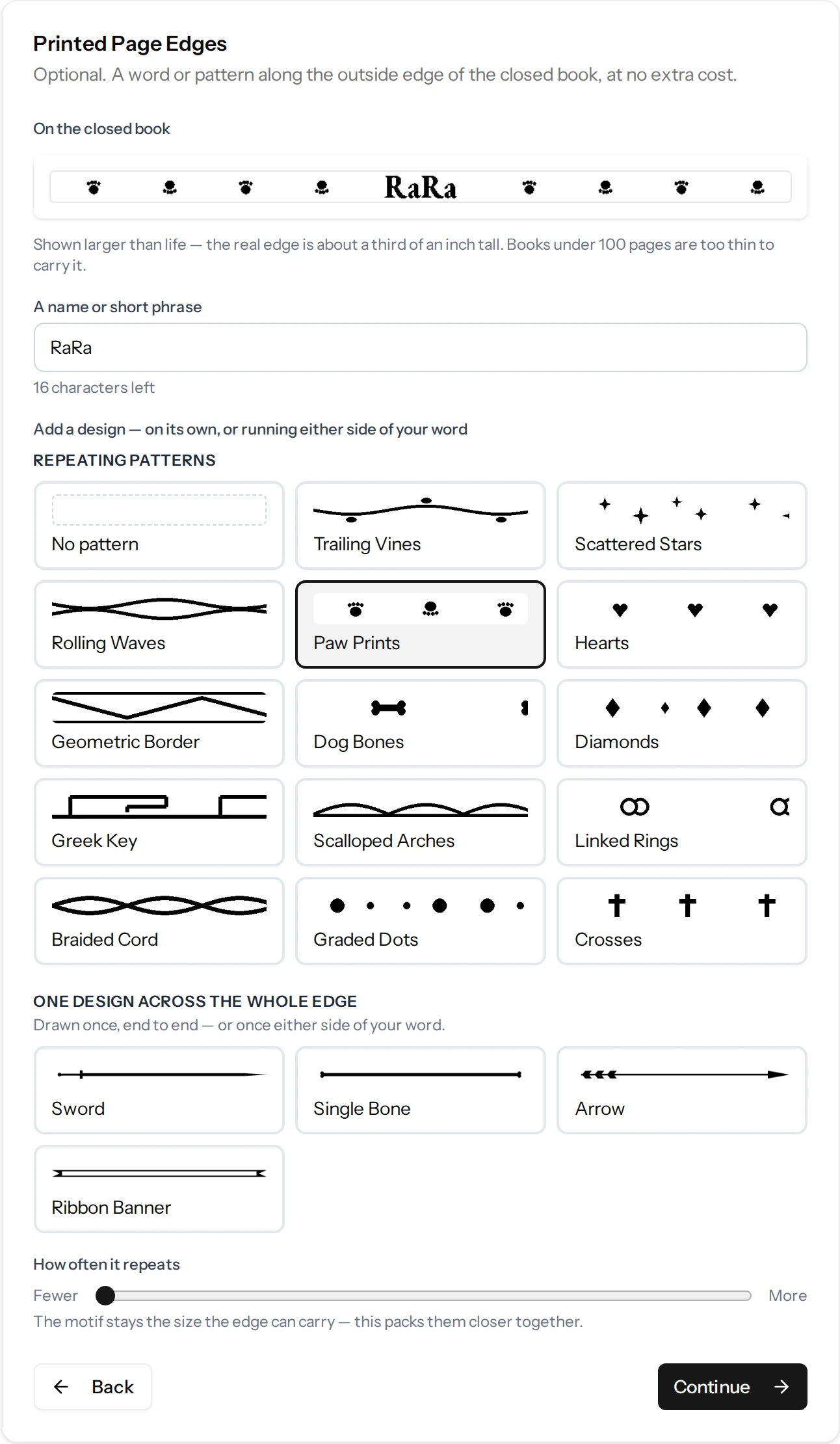
Stand your book on a shelf and you see the edges of the stacked pages. We can print a short word — a name, a date, a phrase — or a repeating pattern along that surface. It is free, and you can have a word and a pattern together: the word sits in the middle with the pattern either side.
The side edge is not the only one. Unless you turn them off, the top and bottom edges carry the same marks as the side, and each can instead have its own word or pattern, or none — the Side edge, Top edge and Bottom edge tabs on the screen set each one.
Two things are worth knowing before you choose:
- The word is printed across the thickness of the book, so it needs pages to sit on. Books under 100 pages are too thin, and the edge is left plain. Your proof will tell you if that happens.
- Only letters, numbers and simple punctuation can be printed. Anything else is removed as you type, so what you see in the preview is what will be printed.
Seeing It Before You Buy
Your proof shows the interior as it will print — facing pages laid out as they fall open, including a real chapter page — and a picture of the closed book’s edge, shown much larger than life so the word is readable. See Reviewing Your Book Proof.
Changing Your Mind
None of these choices is final while you are still in the wizard — go Back and change them as often as you like before you generate.
After the book is made, the proof page has a Change Page Style button that reopens these choices together — on a narrow phone screen the same button is labeled just Page Style, with the credit cost beside it. That one costs 3 credits, which covers re-rendering your book — see Understanding Credits. It is only possible before you approve your proof — approving is what fixes the book for printing, so the style cannot be changed after that.
Still have a question?
Support tickets are part of your account. Log in or create a free account to open one.