Understanding AI Book Generation
What happens after you press Generate Book: the outline, the cover, the chapters, how long it takes, and what Final Editorial Review means.
Understanding AI Book Generation
When you press Generate Book the wizard hands you to a page that shows the work happening. You can close it whenever you like — the book carries on being made, and we email you when the proof is ready.
What that page shows depends on the edition you chose, so this article covers both.
If Your Book Has a Written Story
For the Written For You edition, the page is headed Creating Your Book. Under it sits a card called Generation Progress with an Overall Progress bar and a percentage, then three stages that happen one after another:
- Story Outline — we check your answers over and line up the chapters your book will be written in.
- Cover — the cover artwork is made from the cover design you picked and, if you uploaded one, your photo.
- Writing Chapters — the chapters are written in order, and the row counts them off as N of M chapters complete. Underneath it there is a chapter-by-chapter list so you can see exactly which one is being written now.
Nothing runs in parallel here. The cover is made before any chapter is written, and no chapter starts until the cover is done, which is why a row that has not started yet sits quietly saying it is waiting rather than showing an error.
The rows do not always tick over in the order you would expect. While your cover is being made, the Cover row can still say Waiting for outline..., and the Story Outline row only turns to Complete once the first chapter is under way — so for a short while you may see Cover marked complete above an outline row that is still spinning. Nothing has gone wrong when that happens.
The Overall Progress bar counts finished chapters and nothing else, so it reads 0% until the first chapter is done — which is a good while into the job, because the outline and the cover are made first. A bar sitting at 0% while the rows above it are working is normal and is not a sign that your book is stuck.
What Happens to Each Chapter
Each chapter is written and then checked before it ever reaches your proof:
- Writing — a chapter is written from the outline, with the names, relationships and details you gave us worked into it.
- Review — a separate review pass reads the finished chapter back and scores it: the quality of the prose, whether the dialogue sounds like people, the emotional beats, the pacing, and whether every detail you supplied actually made it in.
- Automatic checks — alongside that review, a set of mechanical checks run on every chapter. They look for repeated phrasing across chapters, a pronoun that does not match what you told us, a stand-in word left in by mistake, and anything that fails our content-safety rules.
- One more pass, when it is needed — if the review turns up real problems, that chapter gets a revision pass and is read again. Most chapters never need this, and the few that do get one further attempt if that revision made things worse rather than better. It is bounded either way: a revision that does not improve the chapter is discarded and the original kept.
We read the whole book before you do, in the sense that nothing skips these checks. What we cannot do is judge whether it is your story — that is what the proof is for, and why nothing prints until you approve it.
If Your Book Has No Written Story
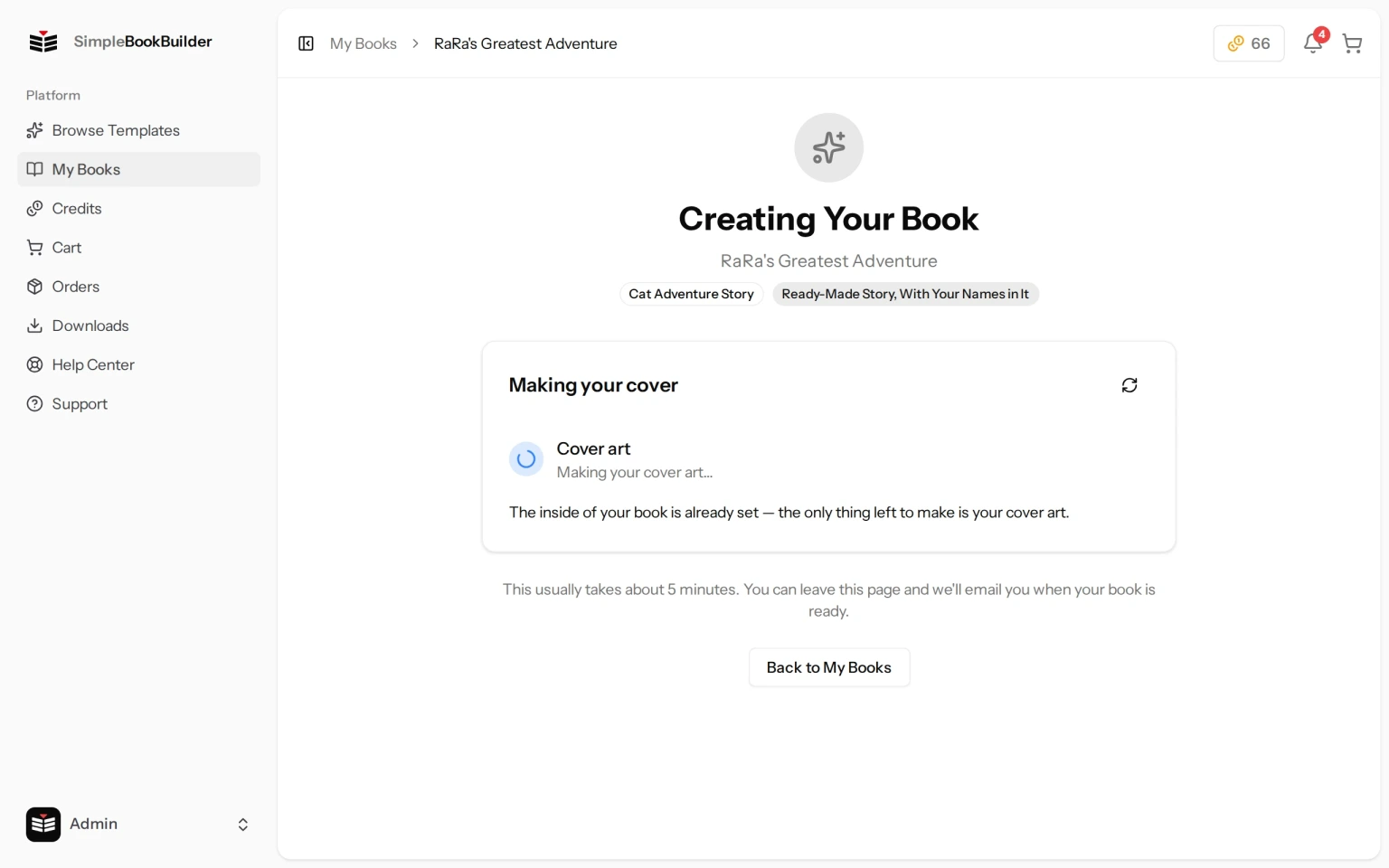
The Journal Edition has pages instead of a story, and a ready-made edition was written before you arrived. None of them has an outline or chapters to write, so instead of the stages above the page shows a single card headed Making your cover, with these rows:
- Your details — for Ready-Made Story, Fitted to You only. This row comes first and reads “Writing your details into the story…” while the details you gave us are written into the story, and it goes away once they are in.
- Cover art — the cover artwork is made, and a small preview of it appears beside the row when it is finished.
- Your proof — once the cover is done, a last row reads “Preparing your proof pages…” while the pages of your proof are laid out. That takes a few minutes, and the page takes you to your book as soon as the proof is ready.
For the Journal Edition and Ready-Made Story, With Your Names in It there is nothing to write at all, so until the cover is done the card says: “The inside of your book is already set — the only thing left to make is your cover art.”
How Long It Takes
Written For You takes about 2 hours, because every chapter is being written and read. A book with no written-for-you prose is usually ready in about 5 minutes, because there are no chapters to write.
You do not have to sit and watch. Leave the page, close the tab, come back tomorrow — the work carries on and we email you when your proof is ready. See Reviewing Your Book Proof for what to do when it arrives.
“Final Editorial Review”
Sometimes the page heading changes to Final Editorial Review and the stages are replaced with this message:
“Your book is in the hands of our editorial team for final quality review. This is the last step before your proof is ready.”
That means a chapter did not come out the way it should have and we are putting it right rather than handing you something we are not happy with. It usually takes a few hours. Nothing is lost, you do not need to do anything, and we email you the moment it is done. If a day goes by and you have not heard from us, please open a ticket on our support page and we will look at your book directly.
Still have a question?
Support tickets are part of your account. Log in or create a free account to open one.